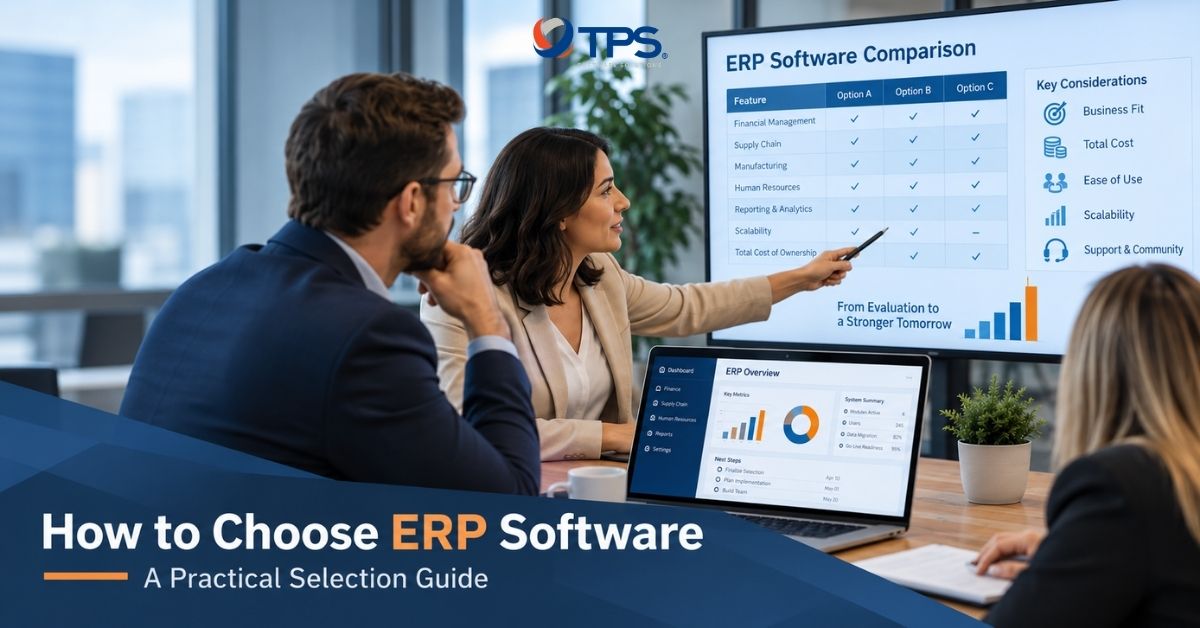
Choosing an ERP system can shape how a business manages finance, operations, inventory, procurement, sales, reporting, and other core processes for years. The wrong choice can create unnecessary customization, integration problems, and higher long-term costs. Knowing how to choose ERP software starts with understanding how the business actually operates. Instead of comparing vendors by the number of features they offer, companies should first define their workflows, priorities, system requirements, and future plans.
This guide explains the key ERP selection criteria, how to evaluate different systems, and what to consider before making a final decision.
Step 1: Start With Business Requirements, Not ERP Features
An effective ERP software selection process should begin with business requirements. A long feature list may look impressive, but those capabilities only create value when they support the workflows the organization actually needs.
Start by reviewing current processes and identifying where problems occur. For example, teams may rely on manual data entry, struggle with limited inventory visibility, spend too much time reconciling information, or use disconnected systems across departments.
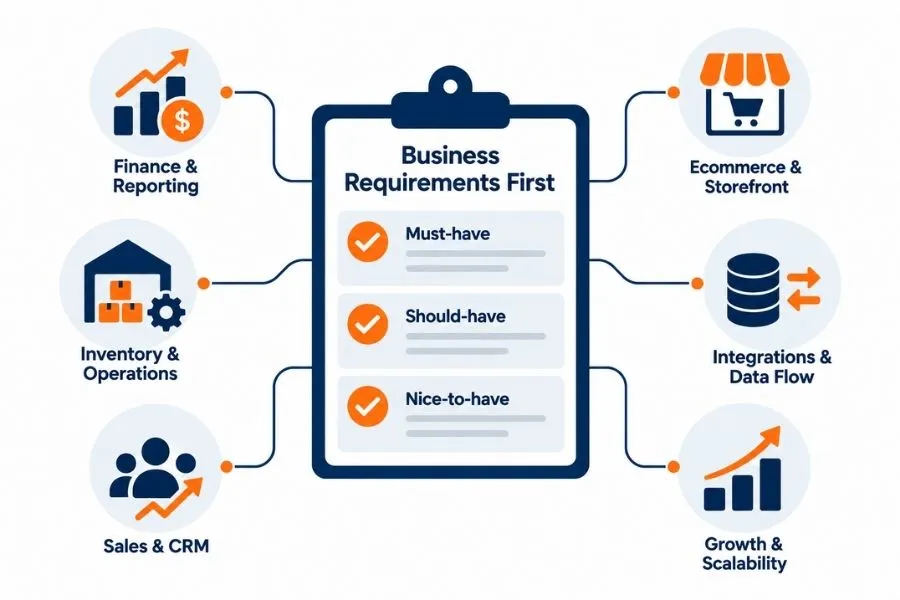
The next step is to define what the new ERP needs to improve. Finance may require stronger multi-entity reporting. Operations may need better inventory planning. Sales teams may depend on CRM integration, while ecommerce businesses may need reliable connections with PIM, OMS, WMS, or storefront platforms.
It also helps to separate requirements into must-have, should-have, and nice-to-have categories. This prevents optional features from carrying the same weight as capabilities that directly affect critical business processes.
Finally, teams should consider future requirements as well as current ones. Expansion into new markets, higher transaction volumes, additional entities, new sales channels, or changing compliance requirements can all affect the ERP’s long-term fit.
The goal is not to find the ERP with the most features. It is to choose a system that supports the business today without becoming a constraint as the organization grows.
Step 2: Define the Right ERP Selection Criteria
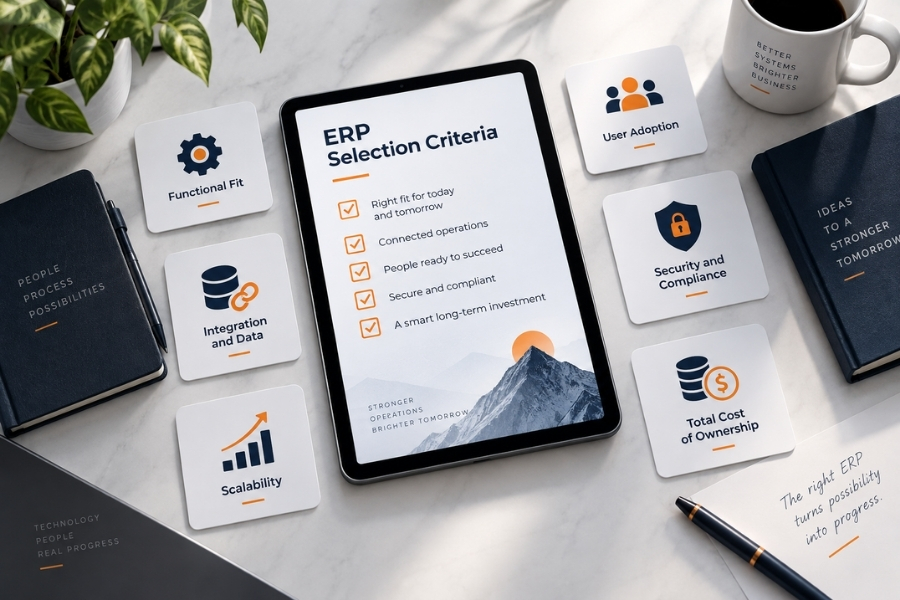
Once business requirements are clear, teams need a consistent way to compare ERP systems. The right ERP selection criteria should cover both operational needs and long-term technology requirements.
Functional Fit
First, assess how well each ERP supports critical workflows.
The system should handle core processes without forcing teams to rely on excessive workarounds or customization. Industry-specific requirements also matter because the same ERP may fit one business model better than another.
Integration and Data Fit
Next, review how the ERP will connect with existing systems.
These may include CRM, ecommerce platforms, PIM, OMS, WMS, payment systems, analytics tools, or custom applications. Teams should review APIs, connectors, integration options, data structures, and synchronization requirements before making a decision.
Related read: Learn more about integration architecture and data flows in our ERP Integration guide.
Scalability and Flexibility
The ERP should support future growth in users, transactions, products, entities, locations, and markets.
Teams should also check how easily they can add modules or adapt workflows. Automation and AI capabilities can add value, but only when they support real business use cases and reliable data.
User Adoption, Security, and Compliance
An ERP only creates value when employees can use it effectively.
Include actual users in the evaluation and check whether common workflows feel intuitive. At the same time, review access controls, permissions, audit trails, authentication, and any industry-specific compliance requirements.
Total Cost of Ownership
Finally, compare the total cost of ownership rather than the software license alone.
Include implementation, migration, integrations, customization, training, support, infrastructure, upgrades, and third-party applications. A cheaper ERP may cost more over time if it requires extensive customization or maintenance.
Step 3: Evaluate and Shortlist ERP Systems
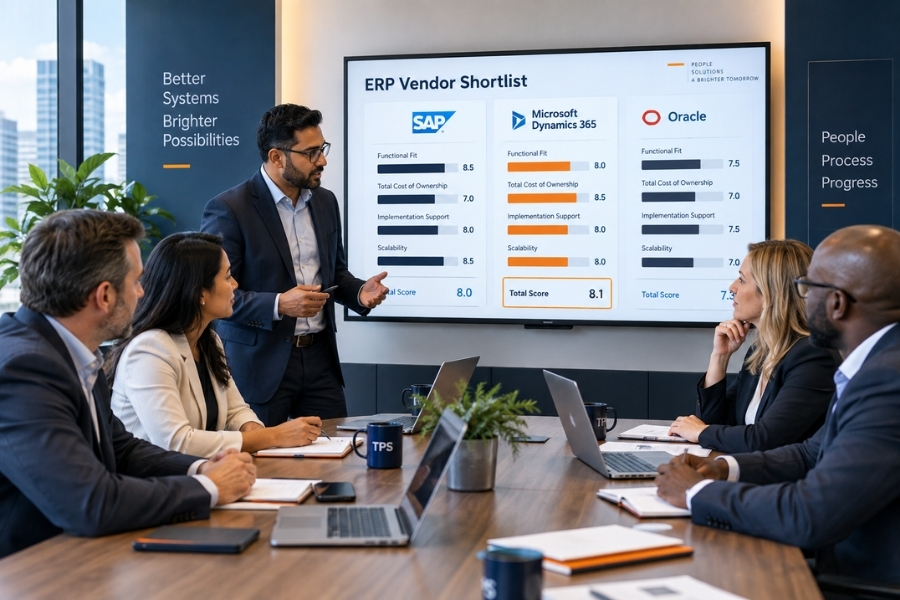
Once teams define the selection criteria, they can start comparing ERP options in a more structured way. The goal is not to review as many vendors as possible. Instead, businesses should create a focused shortlist and evaluate each system against the same requirements.
Create a Focused Shortlist
Start by narrowing the market to a small group of ERP systems that match the company’s size, industry, technical environment, and core requirements.
A shorter list makes the evaluation more manageable. It also gives teams more time to review each option in depth instead of relying on high-level sales presentations.
Before adding a vendor to the shortlist, confirm that the ERP meets the non-negotiable requirements identified earlier.
Use Real Business Scenarios in ERP Demos
Vendor demos should reflect real business workflows.
Instead of asking whether the ERP “supports inventory management,” ask the vendor to demonstrate a complete process. For example, they could show how the system handles an order from creation through stock allocation, fulfillment, invoicing, and reporting.
Scenario-based demos make it easier to see how the ERP behaves in practice. They can also expose gaps that may not appear in a standard feature checklist.
Include actual users in these sessions whenever possible. Finance, operations, sales, procurement, and IT teams may notice different issues in the same workflow.
Score Each ERP Against the Same Criteria
Teams should use a consistent evaluation framework rather than relying on overall impressions.
For example:
| ERP Selection Criteria | Example Weight |
|---|---|
| Functional fit | 30% |
| Integration and data fit | 20% |
| Scalability and flexibility | 15% |
| User experience and adoption | 10% |
| Security and compliance | 10% |
| Total cost of ownership | 15% |
These weights are only an example. Each business should adjust them based on its own priorities.
A weighted scorecard helps teams compare ERP systems more objectively. It also creates a clearer record of why one option performs better than another.
Review Technical and Implementation Risks
A system may perform well in a demo but still create problems during implementation.
Therefore, teams should review data migration requirements, integration complexity, customization needs, infrastructure constraints, and dependencies on third-party applications.
They should also identify areas where the business may need to change its current processes. Heavy customization can sometimes preserve existing workflows, but it can also increase implementation cost and make future upgrades more difficult.
Complete Vendor Due Diligence
Before reducing the shortlist further, review the vendor beyond the software itself.
Check product roadmap, support model, service-level commitments, release frequency, customer references, and long-term platform strategy. Businesses should also understand how the vendor handles upgrades, security updates, and major changes to the product.
This step helps distinguish a system that looks suitable today from one that can remain a reliable platform over the longer term.
Read more: 8 Best Practices for Enterprise Software Development
Step 4: Evaluate the Implementation Partner, Not Just the ERP
Choosing the right ERP software is only part of the decision. The implementation partner can have just as much impact on the outcome, especially when the project involves data migration, integrations, customization, or process redesign.
A strong partner should understand both the technology and the business workflows behind it. They should also be able to identify where standard ERP capabilities are enough and where additional integration or customization may be required.
Industry and Process Experience
Start by reviewing the partner’s experience with similar business models, workflows, and system environments.
A partner that understands the operating context can usually identify requirements faster and spot risks that a purely technical team may miss. This becomes more important when the ERP needs to support complex processes across finance, operations, sales, ecommerce, or supply chain.
Integration and Data Capabilities
ERP projects often depend on more than the ERP itself. The new system may need to connect with CRM, ecommerce platforms, PIM, OMS, WMS, payment systems, analytics tools, or custom applications.
The implementation partner should understand API integration, data mapping, migration, and system architecture. They should also be able to plan how data moves between systems without creating duplicate records or conflicting ownership.
Implementation and Change Management
Teams should also review how the partner approaches implementation.
Ask how they gather requirements, manage scope, test workflows, handle data migration, and support user acceptance testing. A clear methodology can reduce surprises during rollout and make responsibilities easier to manage.
The partner should also explain how they handle changes when business requirements evolve during the project.
Post-Go-Live Support
ERP systems continue to evolve after launch. Businesses may add users, modules, locations, integrations, or new workflows over time.
For that reason, the evaluation should include ongoing support. Clarify how the partner handles maintenance, issue resolution, upgrades, monitoring, and future enhancements.
The best implementation partner should not only help deploy the ERP. They should also help the system continue to support the business as requirements change.

Need support assessing your current systems, architecture, and integration requirements before committing to an ERP? Explore TPS’s Software & IT Consulting Services for technology assessment and solution planning.
Step 5: Check the Final Decision Before You Commit
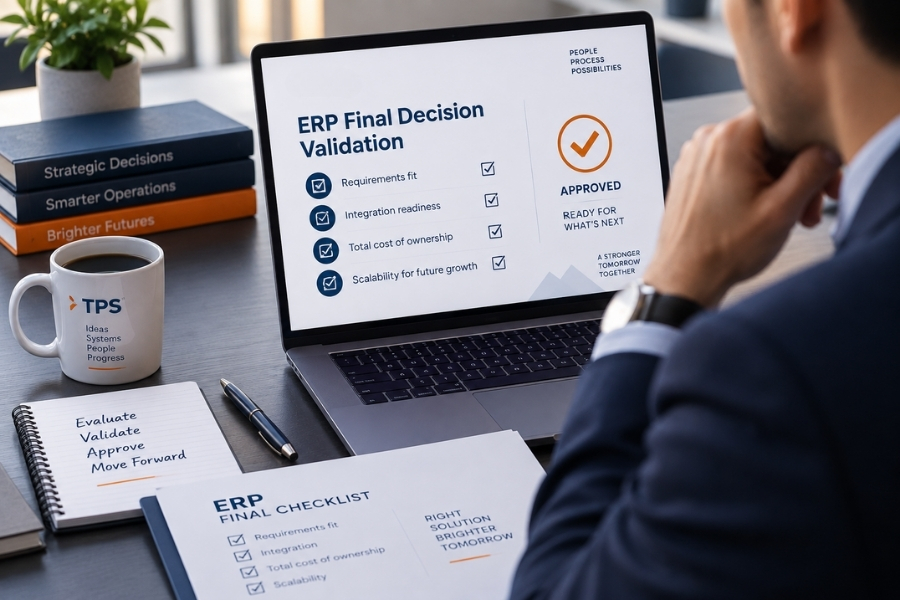
Before committing to an ERP, teams should run one final review across business fit, technical feasibility, cost, and long-term scalability. This step helps confirm that the preferred system still makes sense after demos, scoring, and vendor discussions.
- Recheck critical requirements: Confirm that the ERP supports all non-negotiable workflows without excessive workarounds or customization. Pay particular attention to core processes such as finance, inventory, reporting, compliance, and other functions that directly affect daily operations.
- Review integration and data risks: Make sure the ERP can connect reliably with the systems the business plans to keep. Teams should also review migration complexity, data quality, ownership, field mapping, and validation requirements before finalizing the implementation plan.
- Revisit customization needs: Identify where customization is truly necessary and where the business can adapt to standard ERP processes. Heavy customization may solve short-term workflow gaps, but it can also increase implementation cost, maintenance effort, and future upgrade complexity.
- Confirm the total cost of ownership: Look beyond licensing fees. Include implementation, integrations, migration, customization, training, support, infrastructure, upgrades, and third-party applications to understand the expected cost over several years.
- Check scalability and future fit: Consider whether the ERP can support more users, transactions, locations, entities, markets, and business processes as the company grows. The vendor roadmap should also align with capabilities the business expects to need in the future.
The final decision should balance business fit, technical feasibility, long-term cost, and scalability rather than simply selecting the system with the most features.
Related read: See TPS’s Application and Data Migration guide for migration planning, validation, and testing considerations.
Step 6: Know When a Standard ERP Is Not Enough
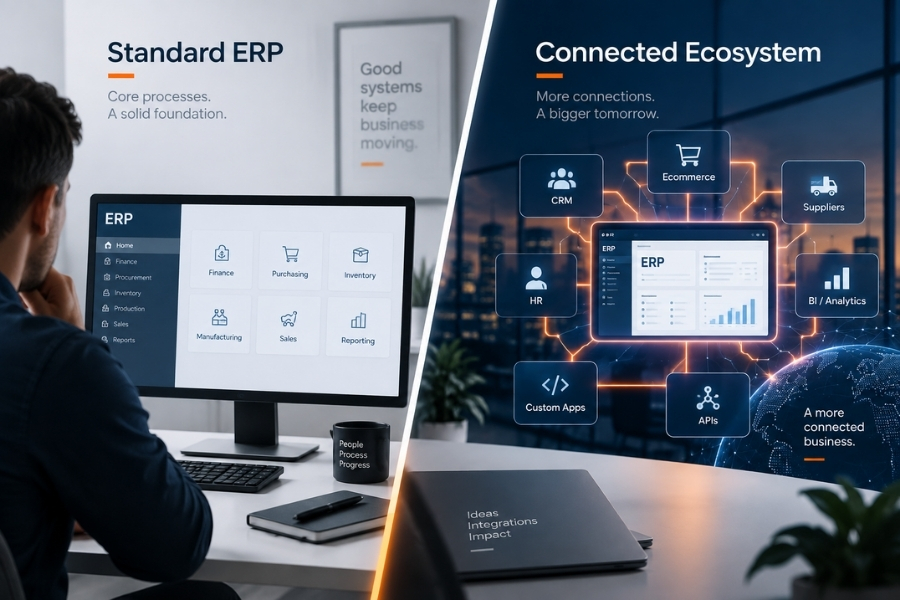
An ERP should support core business processes without forcing the company into excessive customization. If critical workflows still require major workarounds, custom development may be worth considering.
This often happens when businesses have highly specialized processes, need to connect several existing systems, or require capabilities that standard ERP modules do not support well. In some cases, the better option is to keep the ERP for core operations and build a custom application or integration layer around it.
The goal is not to replace ERP unnecessarily. Instead, businesses should choose the combination of standard software and custom development that best supports their operations and long-term growth.
Need Help Planning Your ERP Strategy?
Choosing the right ERP is only part of the journey. Businesses also need to consider how the new system will fit existing applications, data, integrations, and custom workflows.
TPS Software can help assess your current technology environment, identify integration and modernization requirements, and design the right approach around your business needs.
Contact TPS Software to discuss your ERP integration, migration, or custom software requirements.
FAQs
1. What is the most important factor when choosing ERP software?
The most important factor is business fit. The ERP should support critical workflows, data requirements, reporting needs, and future growth without requiring excessive customization.
2. How do you compare ERP systems objectively?
Use the same evaluation criteria for every shortlisted system. Compare functional fit, integration capabilities, scalability, user experience, security, total cost of ownership, and implementation requirements. A weighted scorecard can help keep the process consistent.
3. How many ERP vendors should you shortlist?
A focused shortlist usually works better than reviewing too many options. Choose a small group of vendors that already meet your non-negotiable requirements, then evaluate them through detailed demos, technical reviews, and due diligence.
4. What costs should you consider when selecting ERP software?
Look beyond licensing fees. ERP costs can also include implementation, data migration, integrations, customization, training, infrastructure, support, upgrades, and third-party applications.
5. How do you know if an ERP can integrate with existing systems?
Review the ERP’s APIs, connectors, middleware support, data export capabilities, and integration documentation. Teams should also confirm whether it can support the required data volumes, synchronization frequency, security controls, and business rules.
6. Should AI features influence ERP selection?
AI capabilities can add value, but they should not drive the decision on their own. First, confirm that the ERP fits core business requirements and provides reliable data and integration capabilities. Then evaluate whether its AI features support practical use cases such as forecasting, anomaly detection, automation, or user assistance.